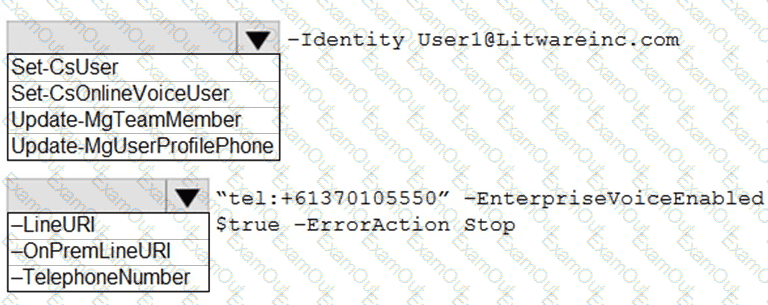
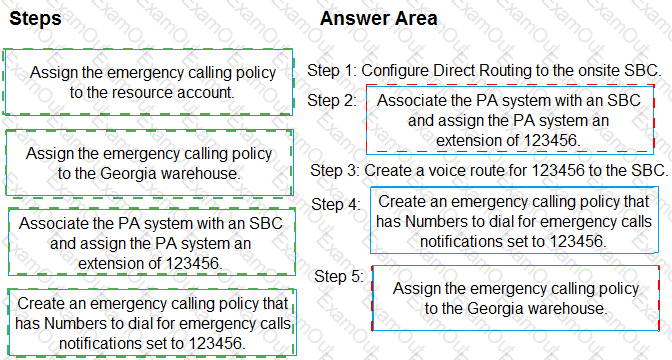
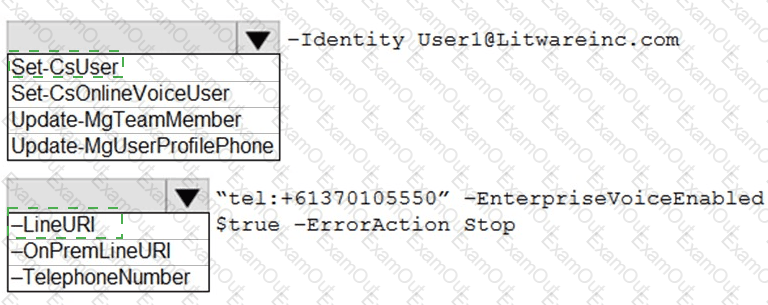
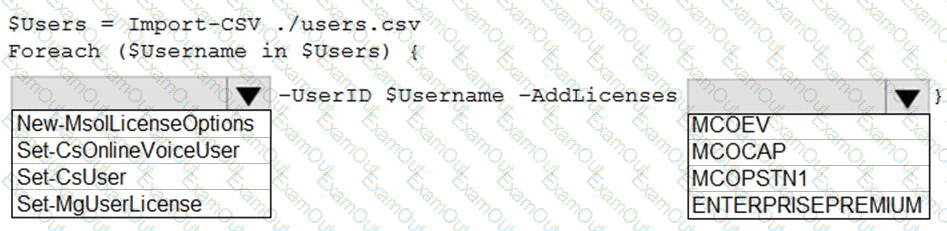
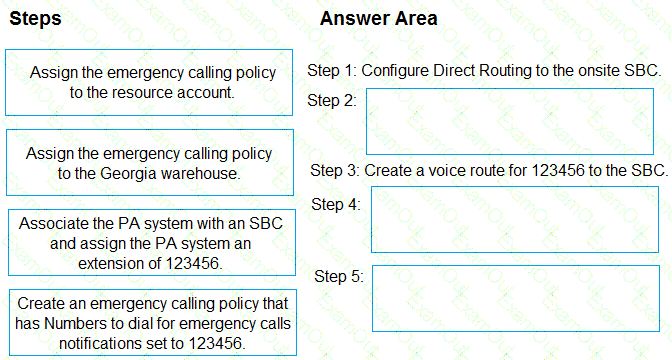
You need to recommend a PSTN solution for the Teams Phone deployment at the retail sites. The solution must meet the technical requirements.
What should you include in the recommendation?
From Voice in the Microsoft Teams admin center, you select Operators and add an operator.
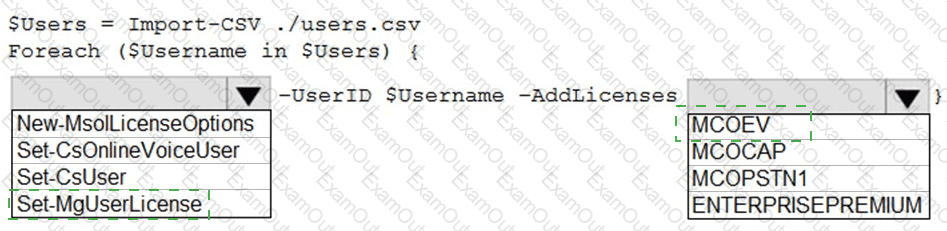
You need to enable users for Microsoft Teams Phone.
Which three actions should you perform in sequence? To answer, move the appropriate actions from the list of actions to the answer area and arrange them in the correct order.
You have a Microsoft Teams deployment that contains a user named User1.
You need to ensure that User1 can schedule webinars. The solution must meet the following requirements:
• Ensure that only User1 can schedule public webinars.
• Ensure that anonymous users can join the webinars.
• Support the use of inhouse RTMP encoders.
Which three actions should you perform in sequence? To answer, move the appropriate actions from the list of actions to the answer area and arrange them in the correct order.
NOTE: More than one order of answer choices is correct. You will receive credit for any of the correct orders you select.

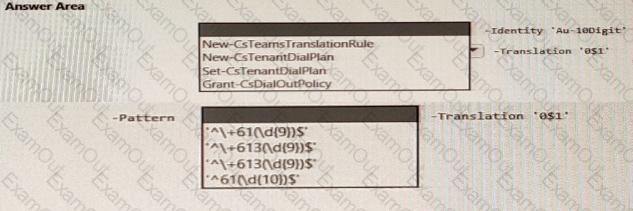
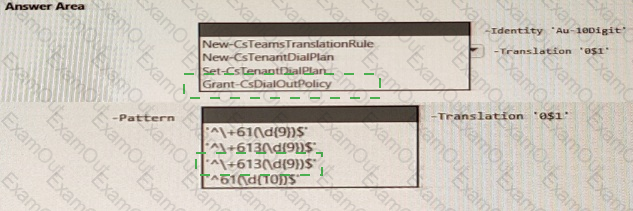
You have a Microsoft Teams Phone deployment that contains a Session Border Controller (SBC) named SBC1.contoso.com.
Direct Routing integrates with a PBX phone system that uses only four-digit dialing and is configured to use the SBC.
Teams is configured to use dial plans that normalize any four-digit calls to E.164.
You have the following translation rule.
You need to ensure that calls to the legacy PBX pass only a four-digit extension.
How should you complete the PowerShell command? To answer, select the appropriate options in the answer area.
NOTE: Each correct selection is worth one point.
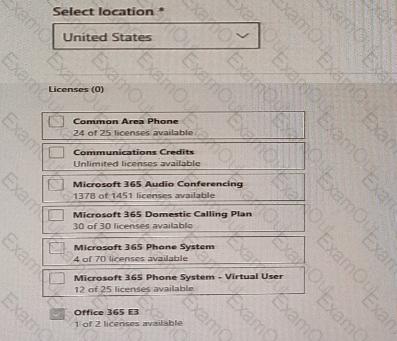
You create a network region named Region 1 in Microsoft Teams You are adding a network site to Region1. The site has a 1.5-Mb connection. You need to ensure that all users at the site have a good voice experience. What should you do?
Your company has a Microsoft Teams deployment.
You need to configure meetings to meet the following requirements:
• The company logo must be added to meeting invites.
• Users must be prevented from selecting the webinar meeting template when creating a new meeting from the Teams client.
What should you configure to meet each requirement? To answer, drag the appropriate options to the correct requirements. Each option may be used once, more than once, or not at all. You may need to drag the split bar between panes or scroll to view content.
NOTE: Each correct selection is worth one point.
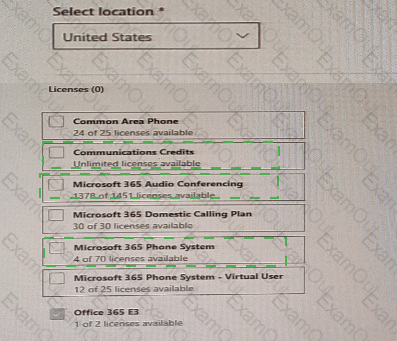
You have a Microsoft Teams Phone deployment.
Users currently provide a five-digit PIN number to dial in to a meeting.
You need to change the PIN length to require users to enter a seven-digit PIN number.
What should you configure from the Microsoft Teams admin center?
Your company uses configuration profiles to manage Microsoft Teams-certified IP phones. The Standard configuration profile is applied to the IP phones.
The help desk receives reports that several user phones fail to lock automatically after the timeout period.
You need to verify whether the configuration profile is applied to the problematic phones.
Solution: From Devices in the Microsoft Teams admin center, you locate each affected phone and review the settings on the Details tab.
Does this meet the goal?
You have two users named User1 and User2.
You need to configure User2 as a call delegate for Uset1. The solution must meet the following requirements:
• Minimize disruptions to User1.
• Prevent User2 from placing cans on behalf of User1.
• Prevent User2 from modifying the settings of User1.
Which three actions should you perform in sequence? To answer, move the appropriate actions from the list of actions to the answer area and arrange them in the correct order.
You have a Microsoft Teams deployment.
You plan to deploy Teams Rooms. The solution must meet the following requirements:
• Support one-touch join to third-party online meetings.
• Enable users to cast content from their devices.
What should you configure for each requirement? To answer, drag the appropriate features to the correct requirements. Each feature may be used once, more than once, or not at all. You may need to drag the split bar between panes or scroll to view content.
NOTE: Each correct selection is worth one point.