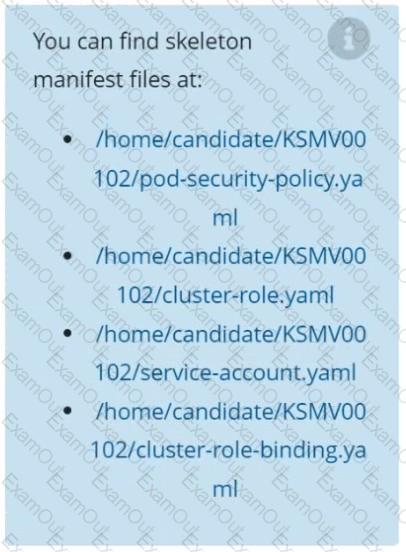
Create a network policy named allow-np, that allows pod in the namespace staging to connect to port 80 of other pods in the same namespace.
Ensure that Network Policy:-
1. Does not allow access to pod not listening on port 80.
2. Does not allow access from Pods, not in namespace staging.
Cluster: qa-cluster
Master node: master Worker node: worker1
You can switch the cluster/configuration context using the following command:
[desk@cli] $ kubectl config use-context qa-cluster
Task:
Create a NetworkPolicy named restricted-policy to restrict access to Pod product running in namespace dev.
Only allow the following Pods to connect to Pod products-service:
1. Pods in the namespace qa
2. Pods with label environment: stage, in any namespace
You can switch the cluster/configuration context using the following command:
[desk@cli] $ kubectl config use-context prod-account
Context:
A Role bound to a Pod's ServiceAccount grants overly permissive permissions. Complete the following tasks to reduce the set of permissions.
Task:
Given an existing Pod named web-pod running in the namespace database.
1. Edit the existing Role bound to the Pod's ServiceAccount test-sa to only allow performing get operations, only on resources of type Pods.
2. Create a new Role named test-role-2 in the namespace database, which only allows performing update operations, only on resources of type statuefulsets.
3. Create a new RoleBinding named test-role-2-bind binding the newly created Role to the Pod's ServiceAccount.
Note: Don't delete the existing RoleBinding.
Context
You must fully integrate a container image scanner into the kubeadm provisioned cluster.
Task
Given an incomplete configuration located at /etc/kubernetes/bouncer and a functional container image scanner
with an HTTPS endpoint at https://smooth-yak.local/review, perform the following tasks to implement a validating admission controller.
First, re-configure the API server to enable all admission plugin(s) to support the provided AdmissionConfiguration.
Next, re-configure the ImagePolicyWebhook configuration to deny images on backend failure.
Next, complete the backend configuration to point to the container image scanner's endpoint at https://smooth-yak.local/review.
Finally, to test the configuration, deploy the test resource defined in /home/candidate/vulnerable.yaml which is using an image that should be denied.
You may delete and re-create the resource as often as needed.
The container image scanner's log file is located at /var/log/nginx/access_log.
Create a RuntimeClass named gvisor-rc using the prepared runtime handler named runsc.
Create a Pods of image Nginx in the Namespace server to run on the gVisor runtime class
Documentation
ServiceAccount, Deployment,
Projected Volumes
You must connect to the correct host . Failure to do so may
result in a zero score.
[candidate@base] $ ssh cks000033
Context
A security audit has identified a Deployment improperly handling service account tokens, which could lead to security vulnerabilities.
Task
First, modify the existing ServiceAccount stats-monitor-sa in the namespace monitoring to turn off automounting of API credentials.
Next, modify the existing Deployment stats-monitor in the namespace monitoring to inject a ServiceAccount token mounted at /var/run/secrets/kubernetes.io/serviceaccount/token.
Use a Projected Volume named token to inject the ServiceAccount token and ensure that it is mounted read-only.
The Deployment's manifest file can be found at /home/candidate/stats-monitor/deployment.yaml.
Fix all issues via configuration and restart the affected components to ensure the new setting takes effect.
Fix all of the following violations that were found against the API server:-
a. Ensure that the RotateKubeletServerCertificate argument is set to true.
b. Ensure that the admission control plugin PodSecurityPolicy is set.
c. Ensure that the --kubelet-certificate-authority argument is set as appropriate.
Fix all of the following violations that were found against the Kubelet:-
a. Ensure the --anonymous-auth argument is set to false.
b. Ensure that the --authorization-mode argument is set to Webhook.
Fix all of the following violations that were found against the ETCD:-
a. Ensure that the --auto-tls argument is not set to true
b. Ensure that the --peer-auto-tls argument is not set to true
Hint: Take the use of Tool Kube-Bench
Documentation Deployment, Pod, Namespace
You must connect to the correct host . Failure to do so may result in a zero score.
[candidate@base] $ ssh cks000028
Context
You must update an existing Pod to ensure the immutability of its containers.
Task
Modify the existing Deployment named lamp-deployment, running in namespace lamp, so that its containers:
. run with user ID 20000
. use a read-only root filesystem
. forbid privilege escalation
The Deployment's manifest file con be found at /home/candidate/finer-sunbeam/lamp-deployment.yaml.
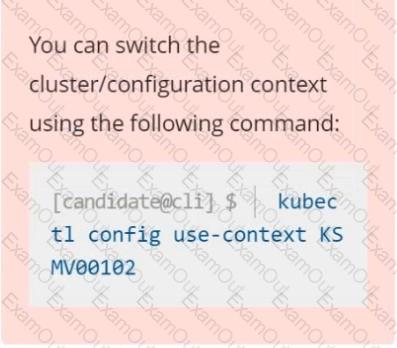
Context
A PodSecurityPolicy shall prevent the creation of privileged Pods in a specific namespace.
Task
Create a new PodSecurityPolicy named prevent-psp-policy,which prevents the creation of privileged Pods.
Create a new ClusterRole named restrict-access-role, which uses the newly created PodSecurityPolicy prevent-psp-policy.
Create a new ServiceAccount named psp-restrict-sa in the existing namespace staging.
Finally, create a new ClusterRoleBinding named restrict-access-bind, which binds the newly created ClusterRole restrict-access-role to the newly created ServiceAccount psp-restrict-sa.