
Review the following incident report:
Attackers leveraged a phishing email campaign targeting your employees.
The email likely impersonated a trusted source, such as the IT department, and requested login credentials.
An unsuspecting employee clicked a malicious link in the email, leading to the download and execution of a Remote Access Trojan (RAT).
The RAT provided the attackers with remote access and a foothold in the compromised system.
Which two MITRE ATT & CK tactics does this incident report capture? (Choose two.)
Which two statements accurately describe the Custom API Endpoint playbook trigger? Choose two answers.
You want to use the queue and shift management feature to automatically assign newly created low-priority tasks to members of the L1 queue. However, you are unable to add the Tasks module to the Module Types list. What is the problem? Choose one answer.
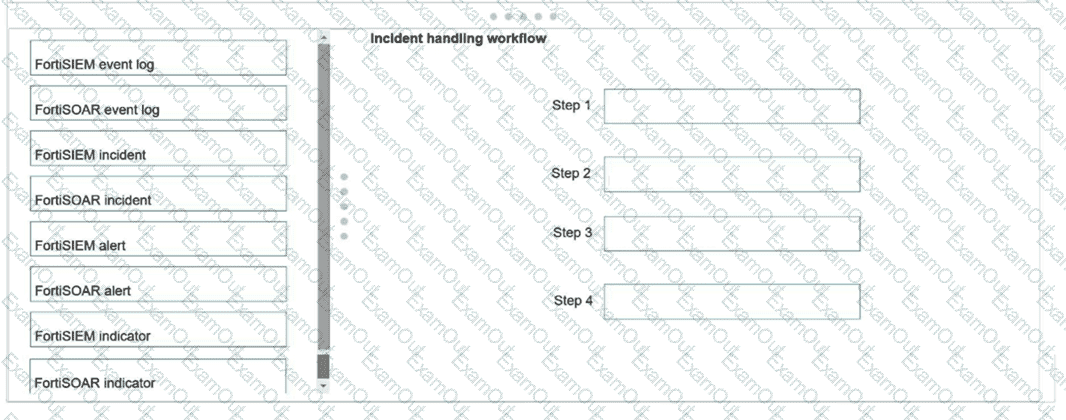
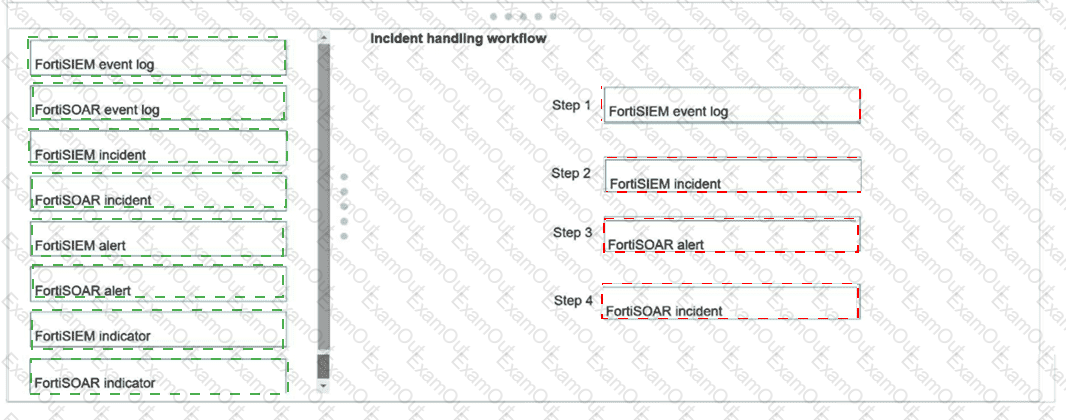
Using the default data ingestion wizard in FortiSOAR, place the incident handling workflow from FortiSIEM to FortiSOAR in the correct sequence. Select each workflow component in the left column, hold and drag it to a blank position in the column on the right. Place the four correct workflow components in order, placing the first step in the first position at the top of the column.
You configured a queue called L1 Analysts and generated shifts to cover morning, evening, and overnight shifts, with two members covering each shift.
However, you noticed that all members of the queue are assigned ingested alerts in a round-robin fashion, instead of only users who are currently on shift.
What is the problem?
Refer to the exhibit.
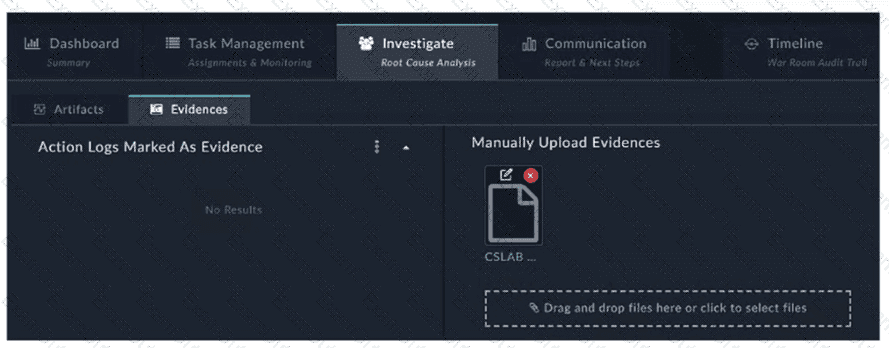
How do you add a piece of evidence to the Action Logs Marked As Evidence area? (Choose one answer)
Which two best practices should be followed when exporting playbooks in FortiAnalyzer? (Choose two answers)
Refer to the exhibit.
Assume that all devices in the FortiAnalyzer Fabric are shown in the image.
Which two statements about the FortiAnalyzer Fabric deployment are true? (Choose two.)
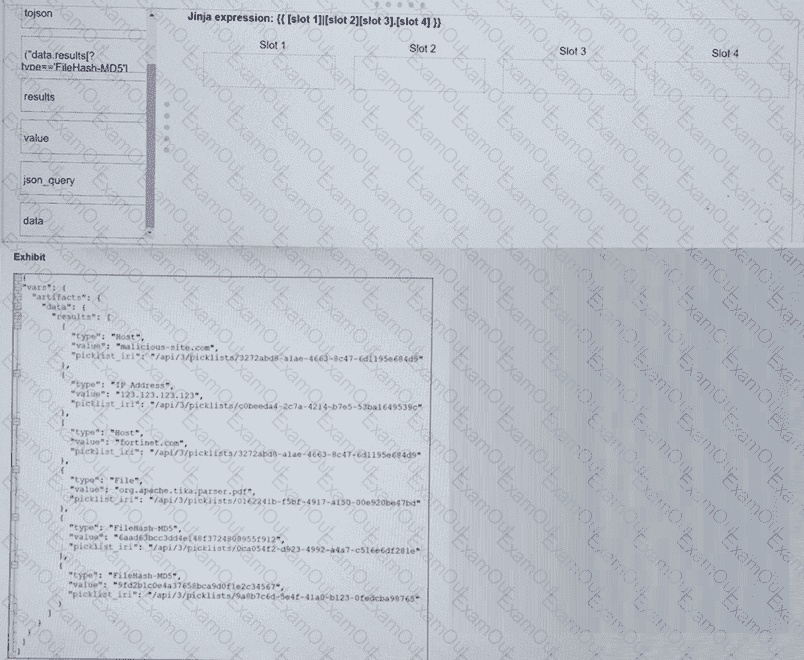
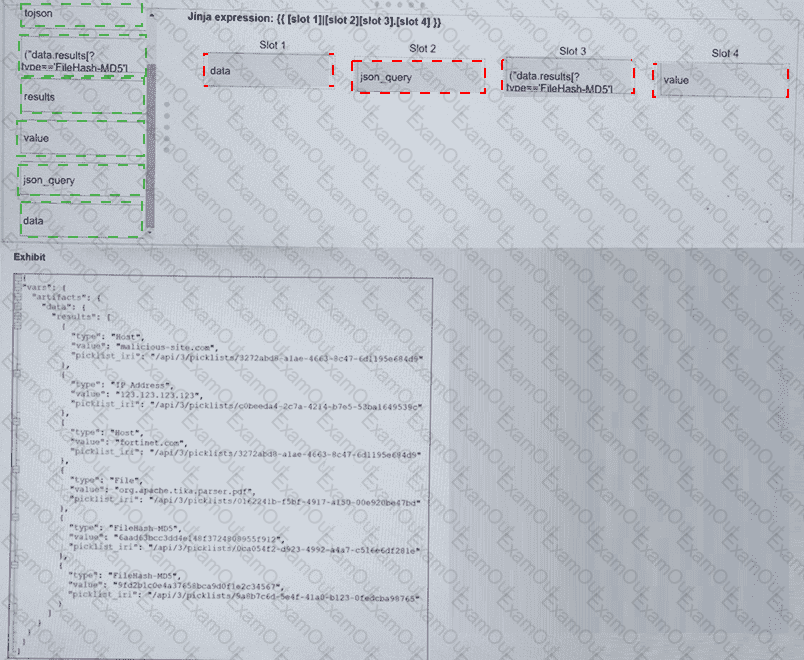
Refer to the exhibit. What is the correct Jinja expression to filter the results to show only the MD5 hash values?
{{ [slot 1] | [slot 2] [slot 3].[slot 4] }}
Select the Jinja expression in the left column, hold and drag it to a blank position on the right. Place the four correct steps in order, placing the first step in the first slot.
You created a war room and want to run a connector action to look up the reputation of a domain. Then, you need to save the output for your team to review. However, there is a lot of output, and you want to limit the amount of information attached to the war room. How do you accomplish this? Choose one answer.
