Summer Sale Special - Limited Time 70% Discount Offer - Ends in 0d 00h 00m 00s - Coupon code: sntaclus

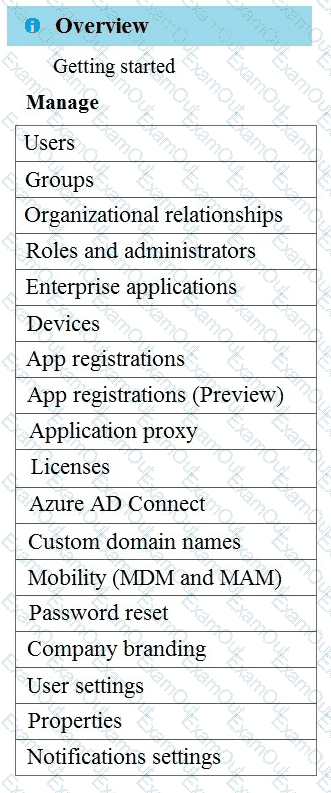
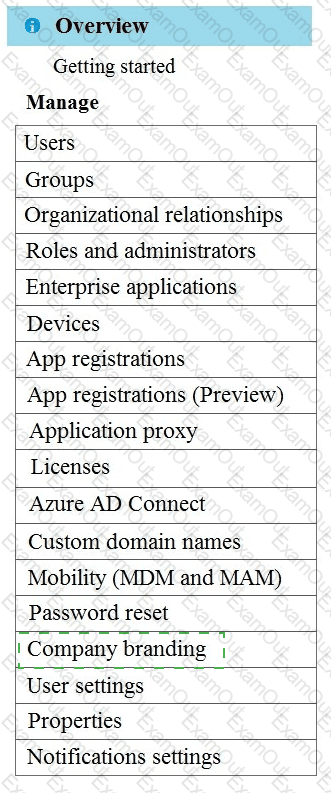
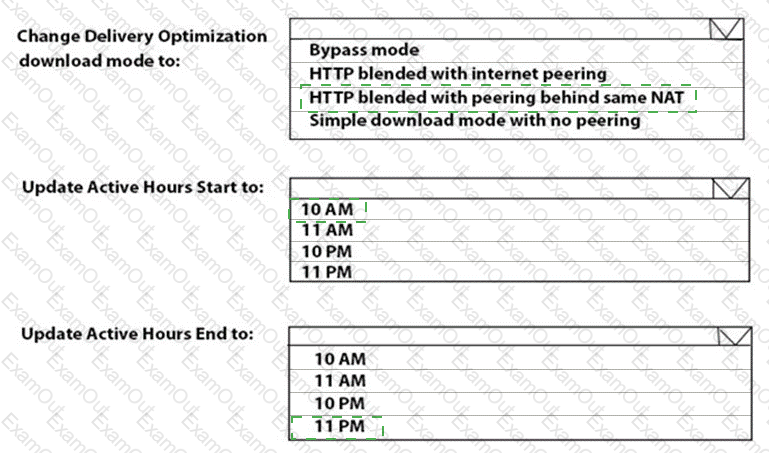
You need to meet the technical requirements for Windows AutoPilot.

Which two settings should you configure from the Azure Active Directory blade? To answer, select the appropriate settings in the answer area.

NOTE: Each correct selection is worth one point.

You need to meet the device management requirements for the developers.

What should you implement?

A.

folder redirection

B.

Enterprise State Roaming

C.

home folders

D.

known folder redirection in Microsoft OneDrive

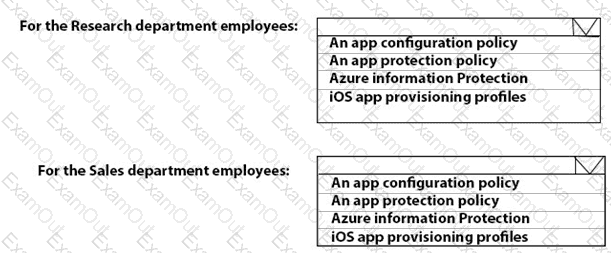
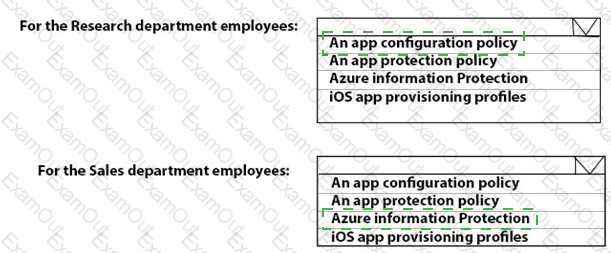
You need to recommend a solution to meet the device management requirements.

What should you include in the recommendation? To answer, select the appropriate options in the answer area.

NOTE: Each correct selection is worth one point.
You have an on-premises server named Server! that hosts a Microsoft Deployment Toolkit (MDT) deployment share named MDT1. You need to ensure that MDT1 supports multicast deployments. What should you install on Server1?

A.

Multipath I/O (MPIO)

B.

Multipoint Connector

C.

Windows Deployment Services (WDS)

D.

Windows Server Update Services (WSUS)

Your network contains an Active Directory domain. The domain contains a user named Admin1. All computers run Windows 10.

You enable Windows PowerShell remoting on the computers.

You need to ensure that Admin1 can establish remote PowerShell connections to the computers. The solution must use the principle of least privilege.

To which group should you add Admin1?

A.

Access Control Assistance Operators

B.

Remote Desktop Users

C.

Power Users

D.

Remote Management Users

You have a Microsoft 365 E5 subscription that contains 500 macOS devices enrolled in Microsoft Intune.

You need to ensure that you can apply Microsoft Defender for Endpoint antivirus policies to the macOS devices. The solution must minimize administrative effort.

What should you do?

A.

From the Microsoft Endpoint Manager admin center, create a configuration profile.

B.

From the Microsoft Endpoint Manager admin center, create a security baseline.

C.

Onboard the macOS devices to the Microsoft 365 compliance center.

D.

Install Defender for Endpoint on the macOS devices.

You have a Microsoft 365 subscription that uses Microsoft Intune and contains the users shown in the following table.

Group2 has been assigned in the Enrollment Status Page.

You have the devices shown in the following table.

You capture and upload the hardware IDs of the devices in the marketing department.

You configure Windows Autopilot.

For each of the following statements, select Yes if the statement is true. Otherwise select No.

NOTE: Each correct selection is worth one point.
You have a Microsoft Entra tenant named contoso.com. You purchase an Android device named Device1. You need to register Device1 in contoso.com.

Solution: You use Microsoft Entra Connect Sync.

Does this meet the goal?

A.

Yes

B.

No

You have a Microsoft 365 subscription that uses Microsoft Intune.

You have a Google account.

You plan to enroll Android devices in Intune.

You need to configure Intune to apply a work profile to Android fully managed NOT affect personal Android devices enrolled in Intune.

What should you do first?

A.

Create a device platform restriction for Android device administrator.

B.

Configure an enrollment profile in Intune.

C.

Configure a device enrollment manager (DEM) account.

D.

Link your Google account to Intune.

Your company has a Microsoft 365 subscription.

All the users in the finance department own personal devices that run iOS or Android. All the devices are enrolled in Microsoft Intune.

The finance department adds new users each month.

The company develops a mobile application named App1 for the finance department users.

You need to ensure that only the finance department users can download Appl.

What should you do first?

A.

Register App1 in Microsoft Entra.

B.

Add App1 to the vendor stores for iOS and Android applications.

C.

Add App1 to a Microsoft Deployment Toolkit (MDT) deployment share.

D.

Add App1 to Intune.