
An automation stitch was configured using an incoming webhook as the trigger named 'my_incoming_webhook'. The action is configured to execute the CLI Script shown:
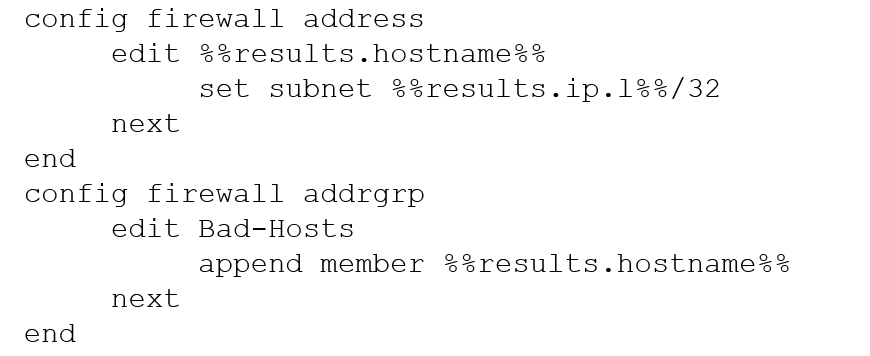
Refer to the exhibits.
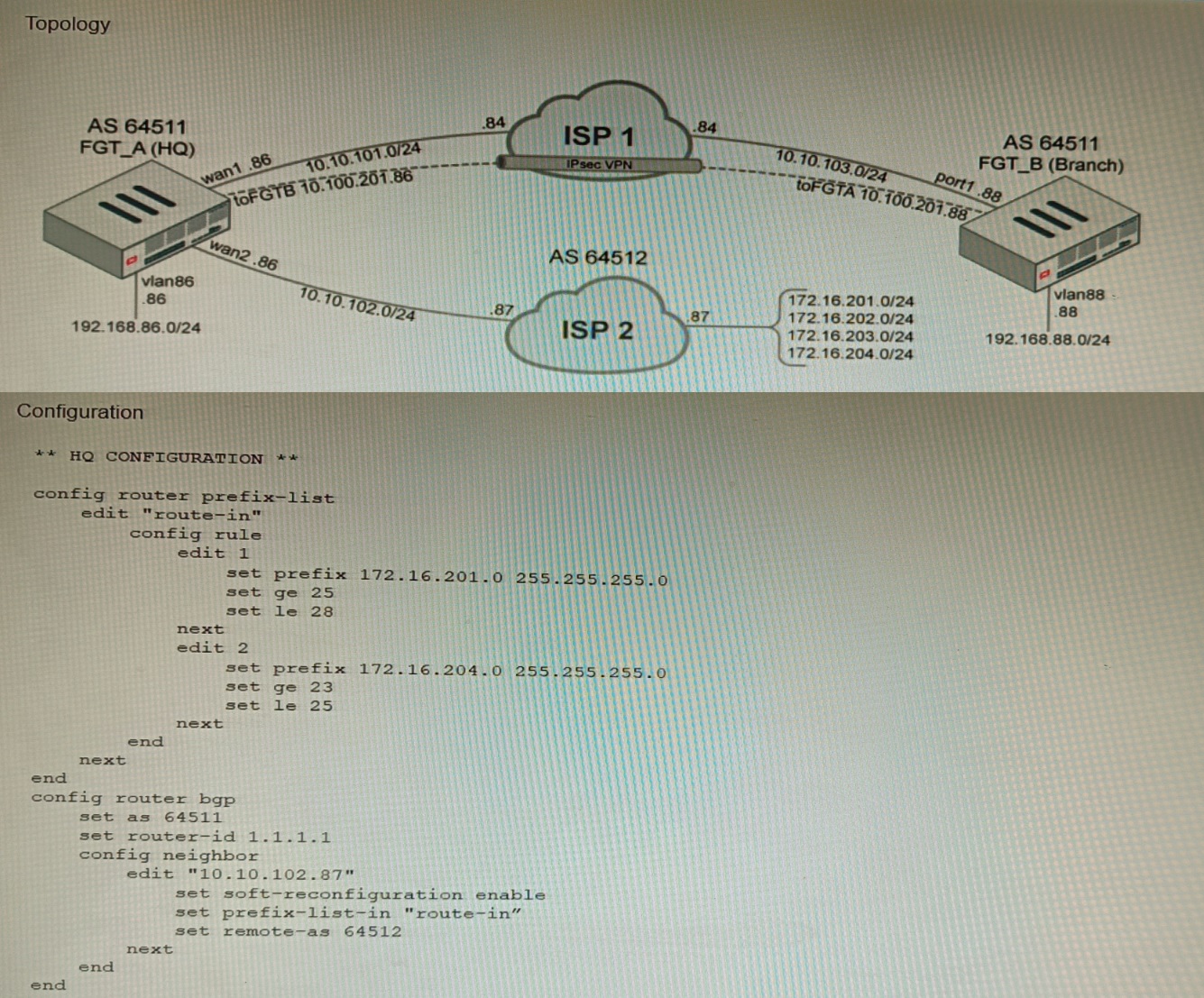
A customer has deployed a FortiGate with iBGP and eBGP routing enabled. HQ is receiving routes over eBGP from ISP 2; however, only certain routes are showing up in the routing table-Assume that BGP is working perfectly and that the only possible modifications to the routing table are solely due to the prefix list that is applied on HQ.
Given the exhibits, which two routes will be active in the routing table on the HQ firewall? (Choose two.)
A remote IT Team is in the process of deploying a FortiGate in their lab. The closed environment has been configured to support zero-touch provisioning from the FortiManager, on the same network, via DHCP options. After waiting 15 minutes, they are reporting that the FortiGate received an IP address, but the zero-touch process failed.
The exhibit below shows what the IT Team provided while troubleshooting this issue:

Which statement explains why the FortiGate did not install its configuration from the FortiManager?
Refer to the exhibit showing FortiGate configurations
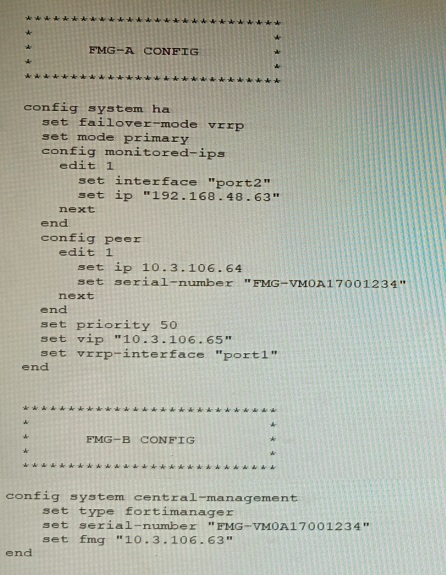
FortiManager VM high availability (HA) is not functioning as expected after being added to an existing deployment.
The administrator finds that VRRP HA mode is selected, but primary and secondary roles are greyed out in the GUI The managed devices never show online when FMG-B becomes primary, but they will show online whenever the FMG-A becomes primary.
What change will correct HA functionality in this scenario?
Refer to the exhibits.
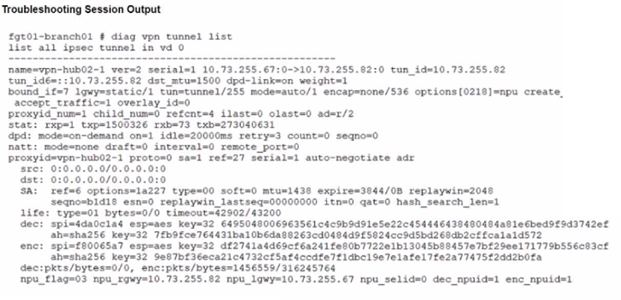
A customer is trying to restore a VPN connection configured on a FortiGate. Exhibits show output during a troubleshooting session when the VPN was working and the current baseline VPN configuration.
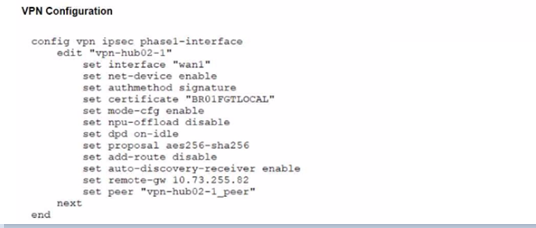
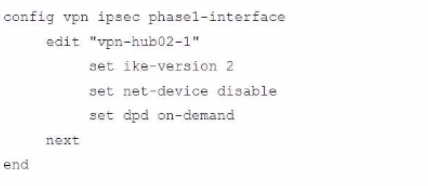
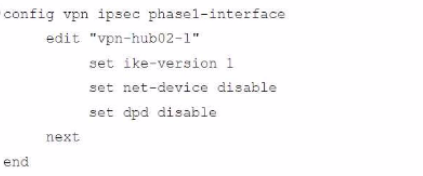
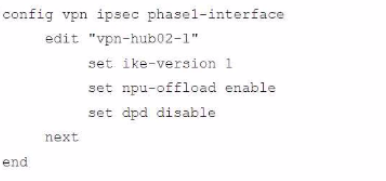
Which configuration parameters will restore VPN connectivity based on the diagnostic output?
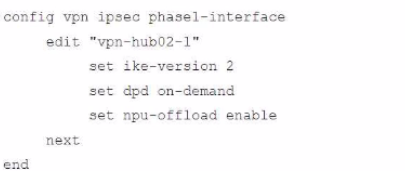
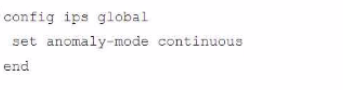
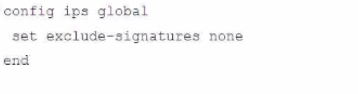
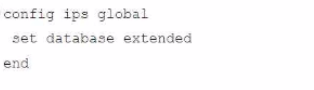
Review the Application Control log.

Which configuration caused the IPS engine to generate this log?
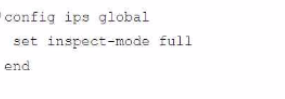
You are responsible for recommending an adapter type for NICs on a FortiGate VM that will run on an ESXi Hypervisor. Your recommendation must consider performance as the main concern, cost is not a factor. Which adapter type for the NICs will you recommend?
Refer to the exhibit.
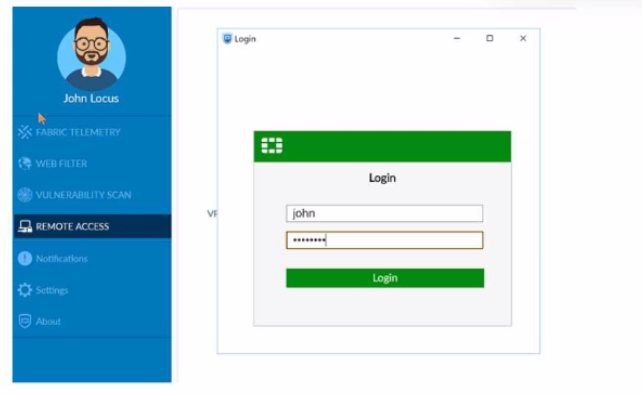
What is happening in this scenario?
An HA topology is using the following configuration:
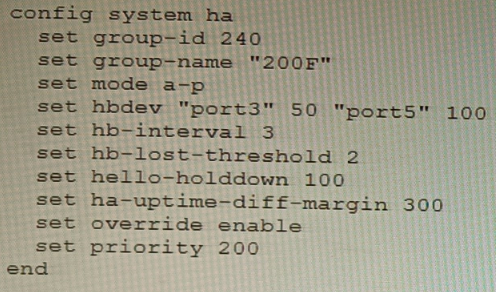
Based on this configuration, how long will it take for a failover to be detected by the secondary cluster member?
Refer to the exhibit.

The Company Corp administrator has enabled Workflow mode in FortiManager and has assigned approval roles to the current administrators. However, workflow approval does not function as expected. The CTO is currently unable to approve submitted changes.
Given the exhibit, which two possible solutions will resolve the workflow approval problems with the Workflow_72 ADOM? (Choose two.)
