Task 16
Running NCC on a cluster prior to an upgrade results in the following output
FAIL: CVM System Partition /home usage at 93% (greater than threshold, 90%)
Identify the CVM with the issue, remove the fil causing the storage bloat, and check the health again by running the individual disk usage health check only on the problematic CVM do not run NCC health check
Note: Make sure only the individual health check is executed from the affected node
Task 2
An administrator needs to configure storage for a Citrix-based Virtual Desktop infrastructure.
Two VDI pools will be created
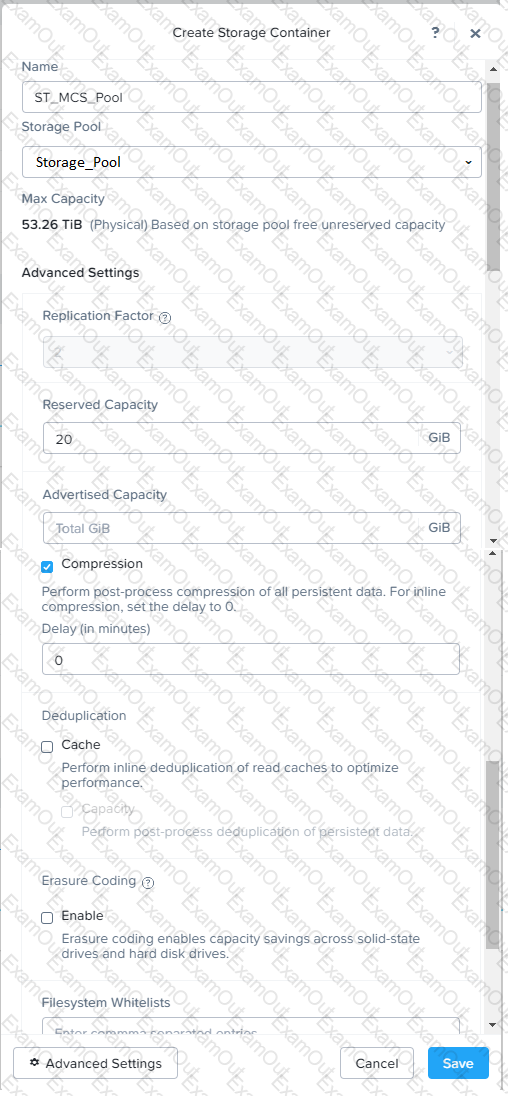
Non-persistent pool names MCS_Pool for tasks users using MCS Microsoft Windows 10 virtual Delivery Agents (VDAs)
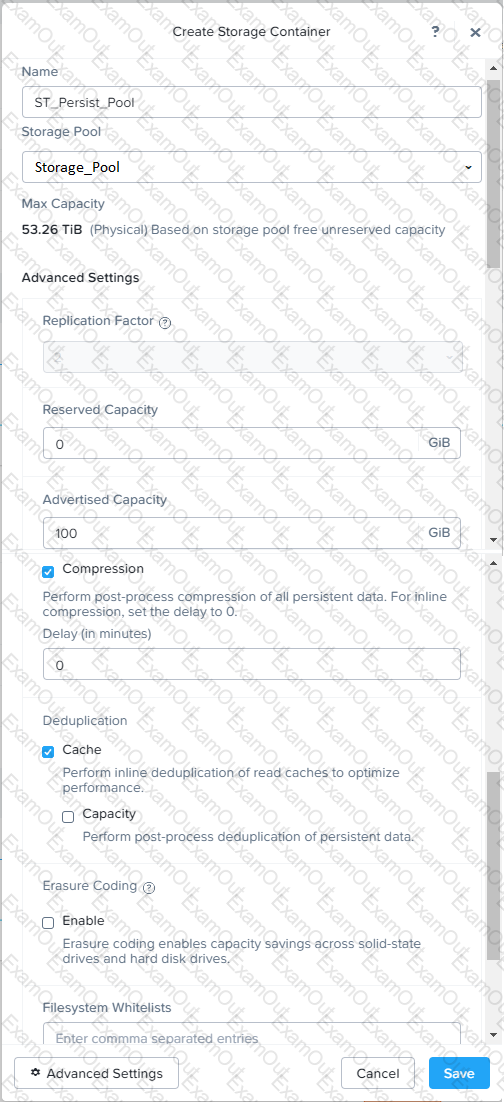
Persistent pool named Persist_Pool with full-clone Microsoft Windows 10 VDAs for power users
20 GiB capacity must be guaranteed at the storage container level for all power user VDAs
The power user container should not be able to use more than 100 GiB
Storage capacity should be optimized for each desktop pool.
Configure the storage to meet these requirements. Any new object created should include the name of the pool(s) (MCS and/or Persist) that will use the object.
Do not include the pool name if the object will not be used by that pool.
Any additional licenses required by the solution will be added later.
Task 11
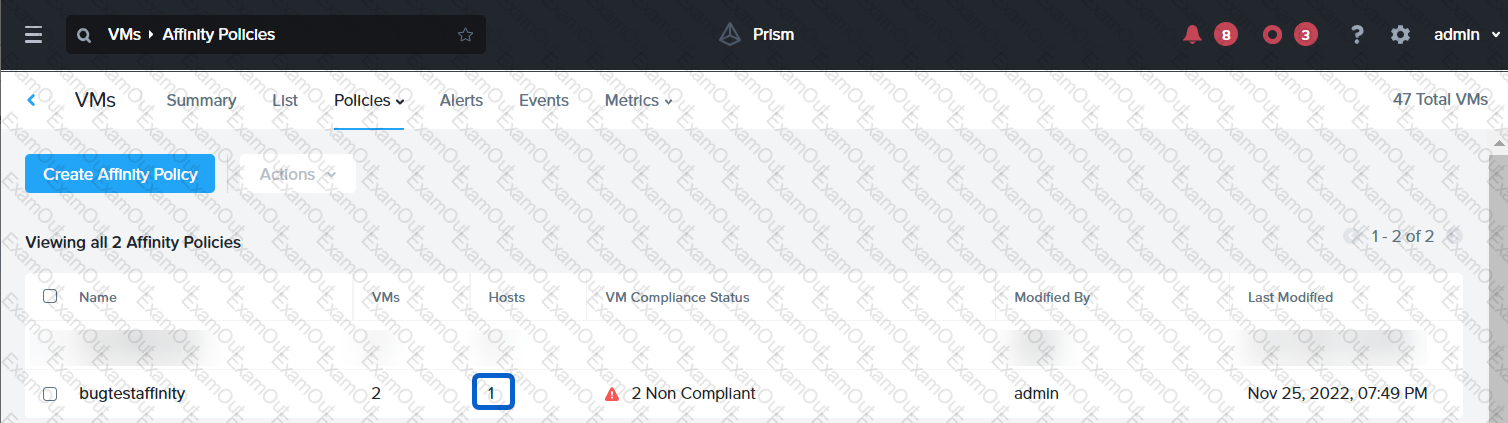
An administrator has noticed that after a host failure, the SQL03 VM was not powered back on from another host within the cluster. The Other SQL VMs (SQL01, SQL02) have recovered properly in the past.
Resolve the issue and configure the environment to ensure any single host failure affects a minimal number os SQL VMs.
Note: Do not power on any VMs
 A screenshot of a computer
Description automatically generated with medium confidence
A screenshot of a computer
Description automatically generated with medium confidenceTask 5
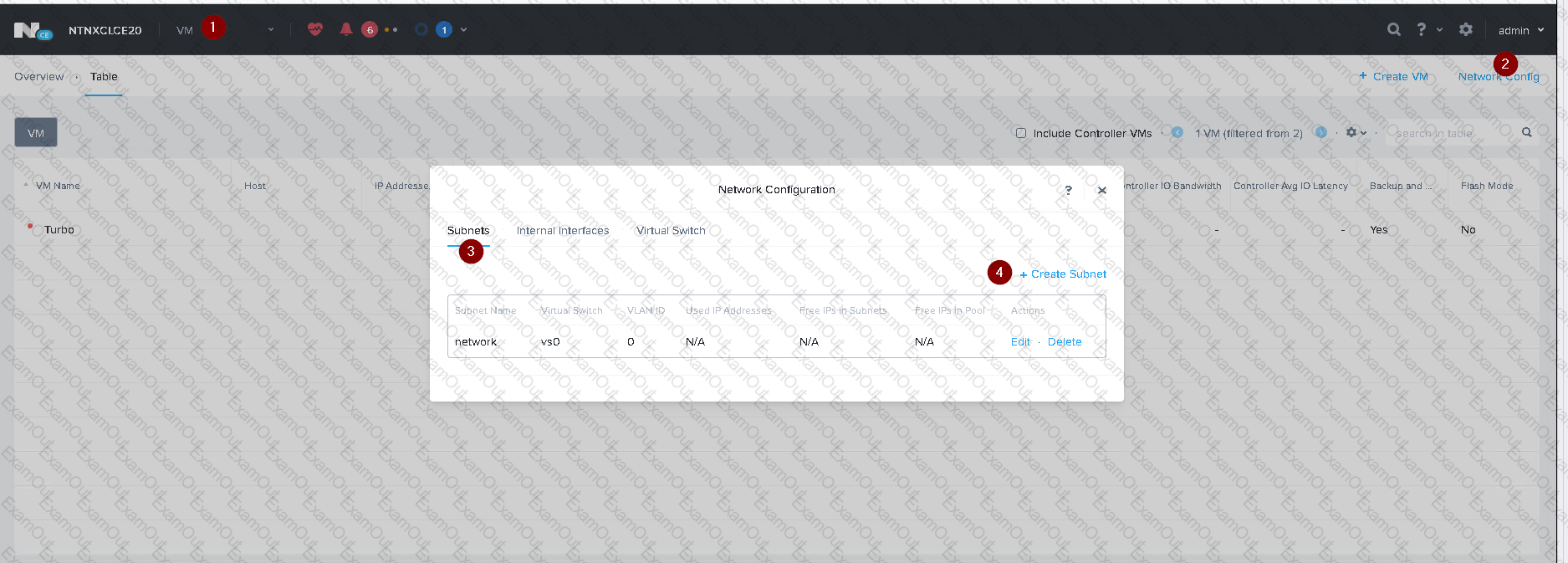
An administrator has been informed that a new workload requires a logically segmented network to meet security requirements.
Network configuration:
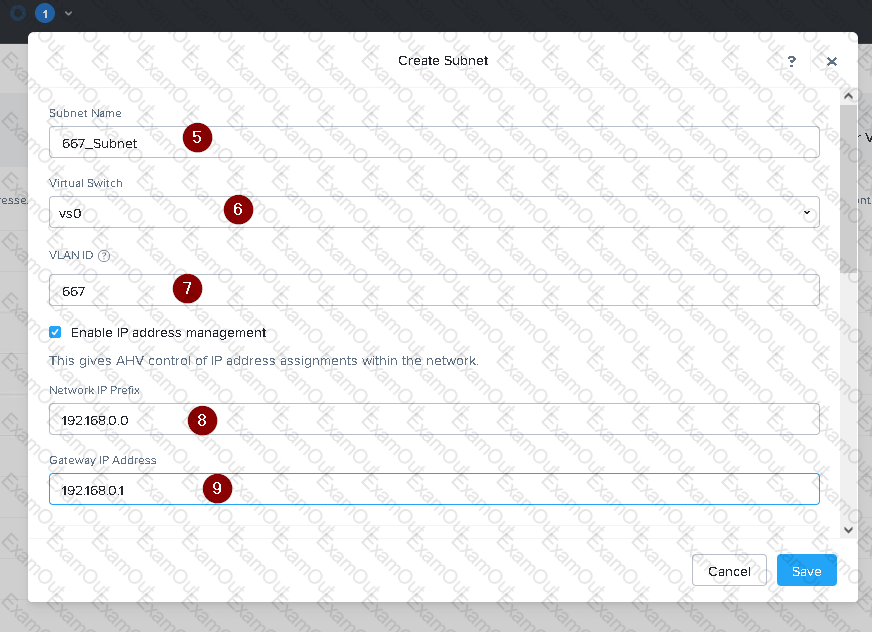
VLAN: 667
Network: 192.168.0.0
Subnet Mask: 255.255.255.0
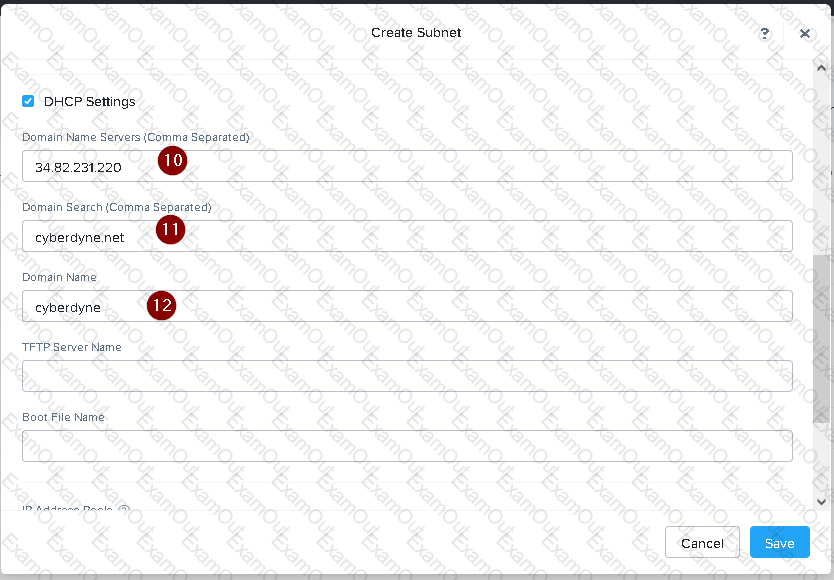
DNS server: 34.82.231.220
Default Gateway: 192.168.0.1
Domain: cyberdyne.net
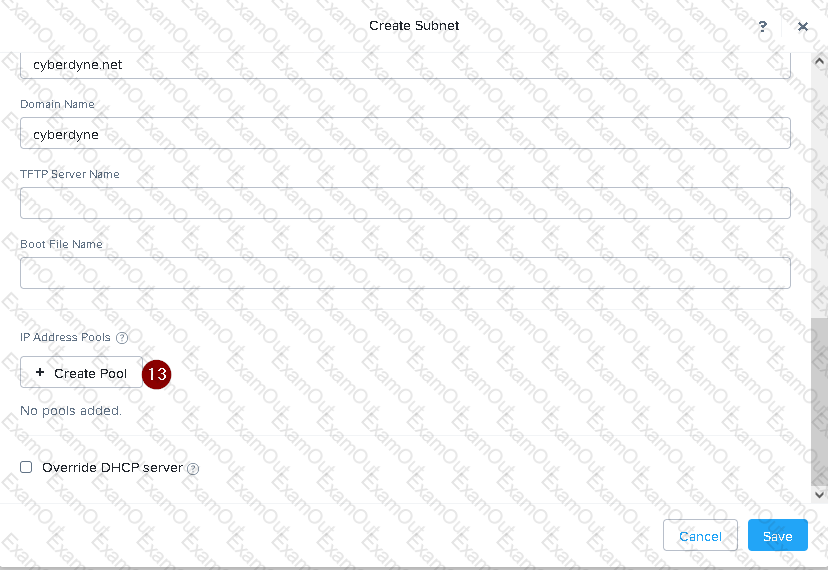
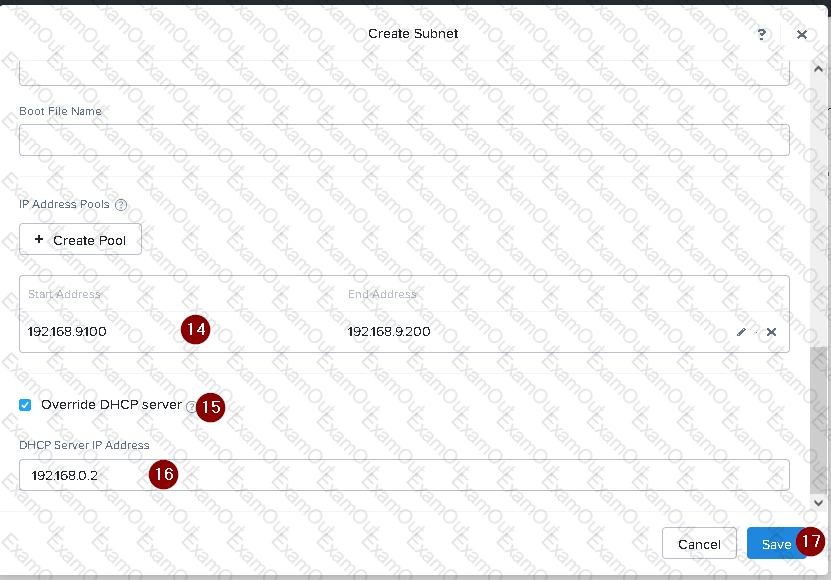
IP Pool: 192.168.9.100-200
DHCP Server IP: 192.168.0.2
Configure the cluster to meet the requirements for the new workload if new objects are required, start the name with 667.