Support agents use a model-driven app while working on customer cases.
Agents currently switch between multiple systems to locate help content. The need to switch systems makes it difficult to find relevant information. You need to provide an efficient way to display contextual knowledge directly within the case form without requiring the agent to refresh the record.
Solution: Call an instant flow to update article information on the Dataverse record. Does the solution meet the goal?
You use Power Bl Desktop to configure Power Bl reports and dashboards.
You need to create a canvas app that displays account information and include the app in a Power Bl report.
Which three actions should you perform? Each correct answer presents part of the solution.
NOTE Each correct selection is worth one point.
You are modifying a model-driven app. You set up a customer table in Microsoft Power Platform to retrieve user data. You set up a form with the following columns for users to enter their data. The form includes the following columns:

The form must do the following:
• The Country/region column must automatically populate with US when English is chosen as a language. If the user selects Other for this column, the column must remain blank so that user can enter a value.
• The Passport expiration date column must appear only if the user selects Yes in the Passport ownership column.
You need to configure the app with the least amount of effort.
What should you configure? To answer, drag the appropriate solution component to the correct requirements. Each solution component may be used once, more than once, or not at all. You may need to drag the split bar between panes or scroll to view content.
NOTE: Each correct selection is worth one point.


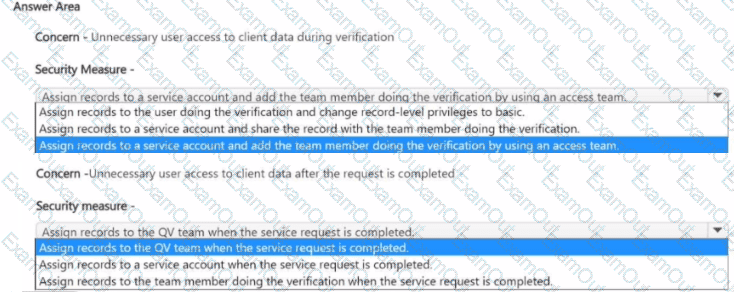
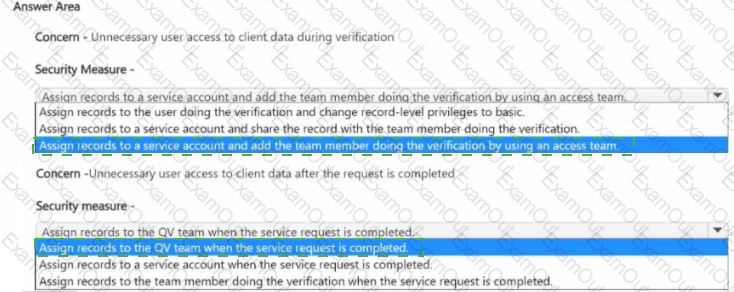
You need to address the unnecessary data access.
Which security changes should you make? To answer, select the appropriate options in the answer area.
NOTE: Each correct selection is worth one point.
You need to create the automation for the qualification verification process.
Which two actions should you perform? Each correct answer presents a complete solution
NOTE: Each correct selection is worth one point.
You need to add the missing components to the Verification Process Automation solution.
Which two components should you add? Each correct answer presents a complete solution.
NOTE : Each correct selection is worth one point.
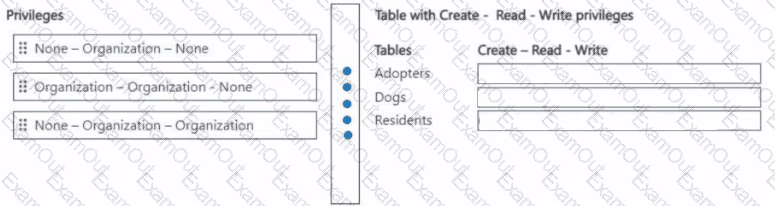
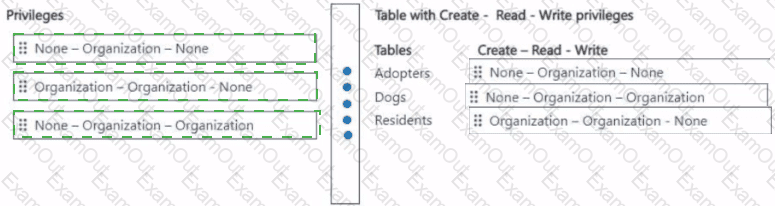
You need to set up a security role for the care staff.
Which privileges should you set? To answer, move the appropriate privileges to the correct create, read, write tables. You may use each create, read, write privileges once, more than once, or not at all. You may need to move the split bar between panes or scroll to view content.
NOTE; Each correct selection is worth one point.
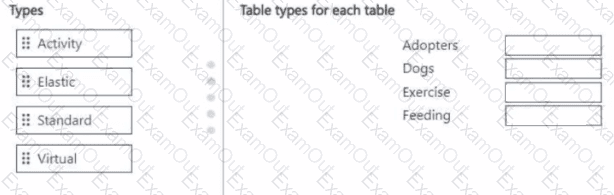
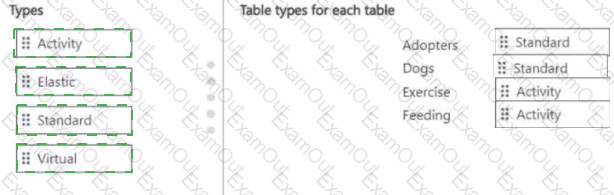
You need to define the table types for Contoso Suites.
Which table type should you define for each requirement? To answer, move the appropriate table types to the correct tables. You may use each table type once, more than once, or not at all. You may need to move the split bar between panes or scroll to view content.
NOTE: Each correct selection is worth one point.
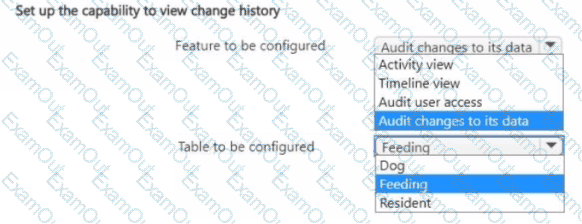
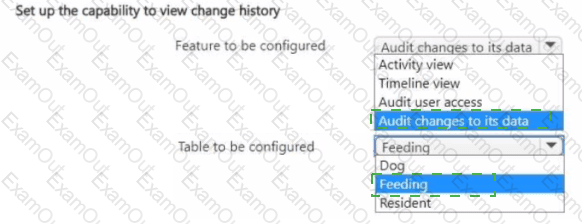
You need to set up the capability to view the change history for the food type and amount.
What should you set up? To answer, select the appropriate options in the answer area.
NOTE: Each correct selection is worth one point.
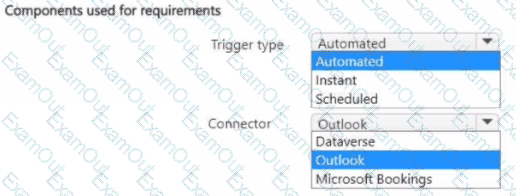
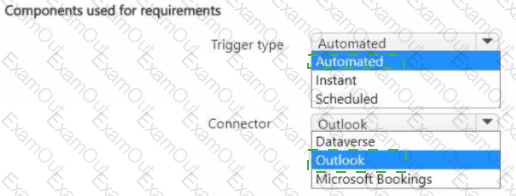
You need to create reminders for the adopters.
What should you use for each requirement? To answer, select the appropriate options in the answer area.
NOTE: Each correct selection is worth one point.