You need to resolve the scoping issue associated to agent1.
What should you do?
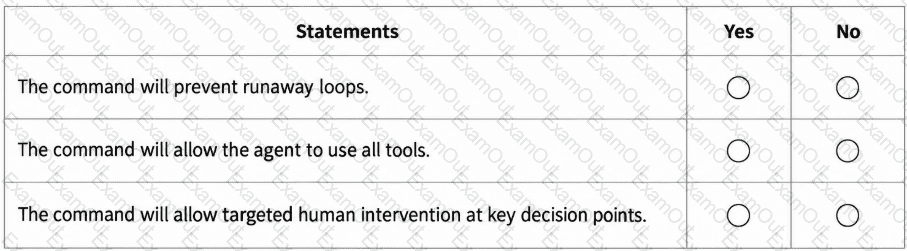
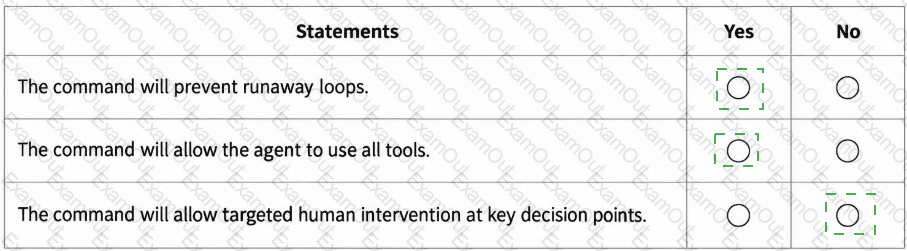
You have a GitHub repository that uses the following GitHub Copilot CLI command in a Bash script.
#!/usr/bin/env bash
set -euo pipefail
PROMPT= " Update dependencies, run tests, and open a pull request if changes are needed. "
copilot --autopilot --yolo --max-autopilot-continues 10 -p " $PROMPT "
For each of the following statements, select Yes if the statement is true. Otherwise, select No.
NOTE: Each correct selection is worth one point.
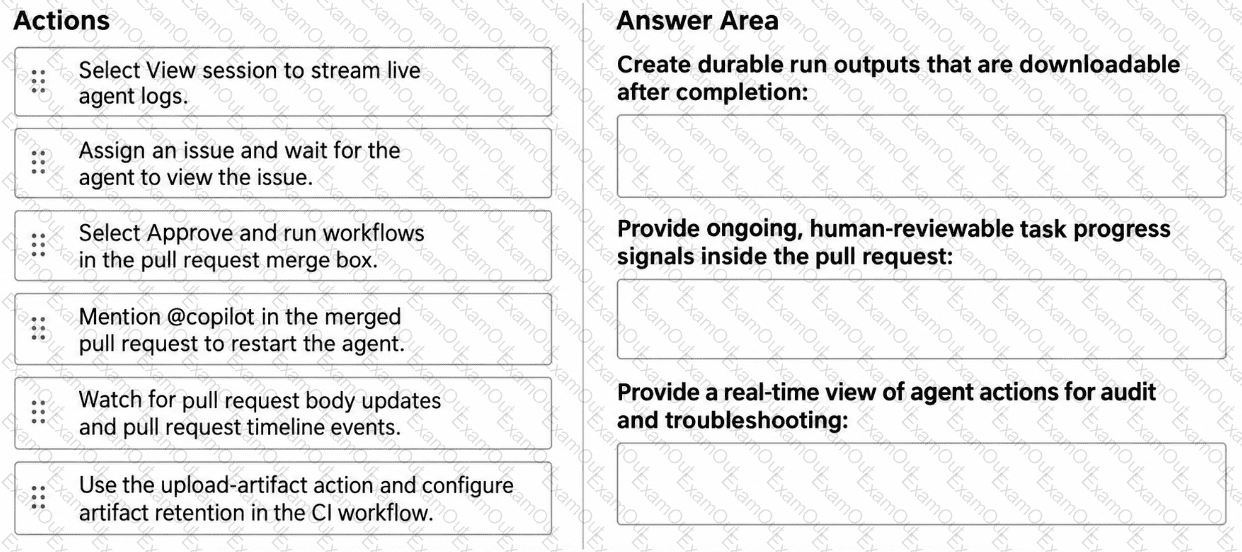
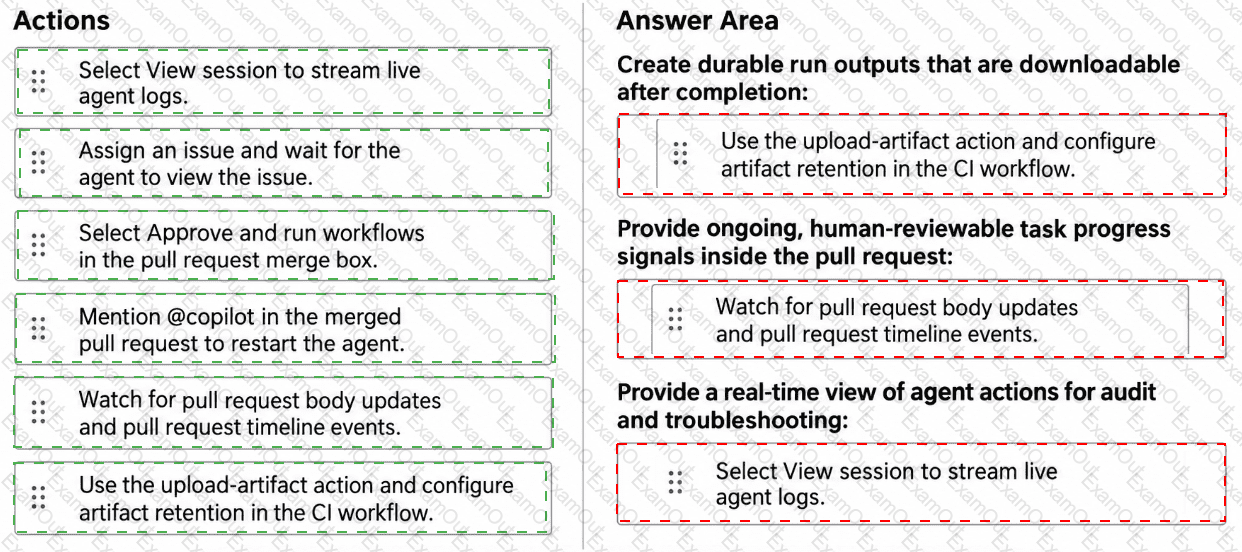
You have a GitHub repository that uses the GitHub Copilot coding agent to resolve issues and create draft pull requests. The repository uses GitHub Actions for CI, and reviewers rely on pull request timelines and workflow artifacts to understand what the agent did.
During long-running agent tasks, the reviewers lose track of decisions and validation steps, which causes repeated questions and reworks when context drifts between iterations.
You need to persist task progress and decisions as durable artifacts and ensure that the reviewers can verify what the agent did during and after execution by using GitHub as the system of record.
What should you do for each requirement? To answer, drag the appropriate actions to the correct requirements. Each action may be used once, more than once, or not at all. You may need to drag the split bar between panes or scroll to view content.
NOTE: Each correct selection is worth one point.
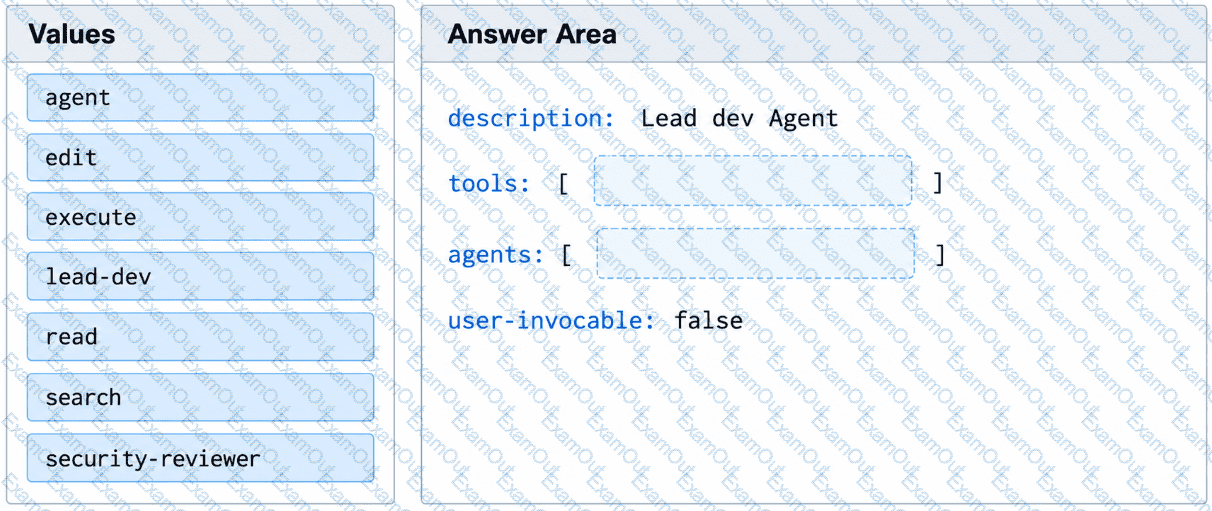
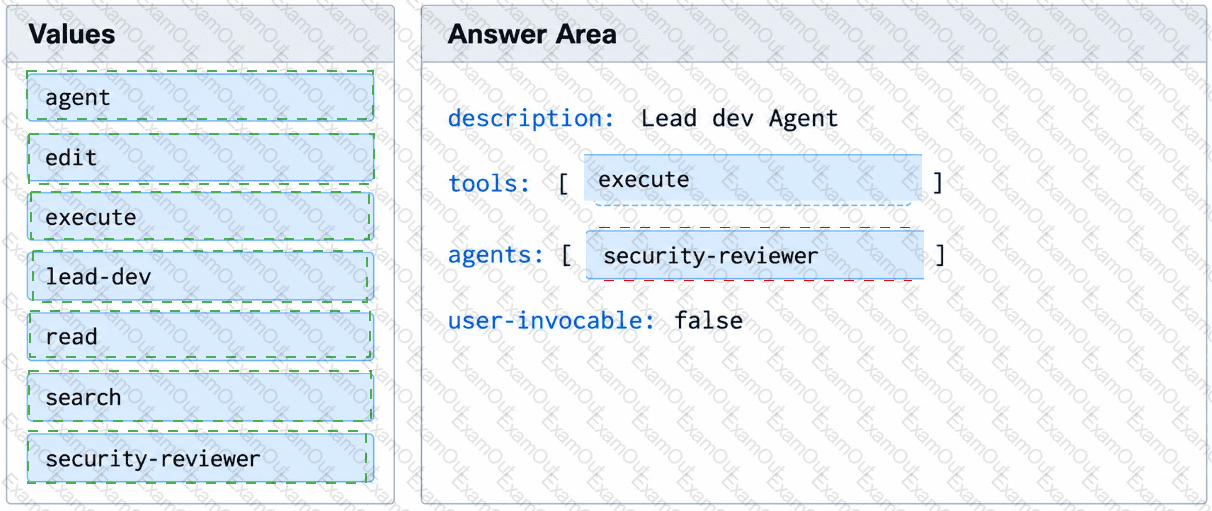
You have a GitHub repository that stores custom GitHub Copilot agents in the .github/agents/ folder.
You have an agent named lead-dev.agent.md that must invoke a specialist subagent named security-reviewer.
Evaluation results show that lead-dev attempts to invoke security-reviewer, but the subagent call fails to run.
You need to ensure that lead-dev can invoke security-reviewer.
How should you complete the YAML frontmatter of the agent profile? To answer, drag the appropriate values to the correct targets.
You have a repository that uses the GitHub Copilot coding agent and supports hooks stored under .github/hooks.
You need a Shell command to run automatically whenever an agent execution fails.
Which type of hook should you use?
You have a GitHub Copilot coding agent named Orchestrator that runs a multi-phase workflow by using the following subagents:
Explorer gathers context by using read-only tools.
Modifier applies focused edits.
You are adding a new agent named Summarizer that generates a concise summary after modifications are complete. Summarizer includes the following YAML frontmatter:
---
name: Summarizer
description: Produce a concise summary of recent changes
tools: [ ' fetch ' ]
user-invocable: false
disable-model-invocation: true
---
The Orchestrator agent lists all three agents in its agents property.
After adding the Summarizer agent, Orchestrator successfully runs Explorer and Modifier but fails to run Summarizer.
What is a possible cause of the failure?
You have a GitHub Enterprise Cloud repository that uses the GitHub Copilot coding agent to implement changes by creating draft pull requests in a firewalled GitHub Actions environment.
Repository administrators add a Model Context Protocol (MCP) server configuration so that the agent can query an external system while it executes issues. The MCP server requires an API key, and the key must be provided to the MCP server as an environment variable when the server starts.
You create an environment secret named copilot_mcp_api_key that contains the API key.
You need to configure the repository to ensure that the MCP server receives the API key at runtime. The solution must ensure that only the intended secret is available to the MCP configuration.
What is the best option to use to achieve the goal?
You have a multi-agent GitHub Actions workflow that uploads review artifacts for each run.
You discover that some workflow run artifacts are being deleted manually.
You need to use your organization’s audit log data to identify which user deleted the artifacts.
Which audit log search filter should you use?
You have a GitHub Actions workflow that starts multiple agent jobs in parallel.
You need to prevent two runs in the same job from executing simultaneously on the same branch. The solution must ensure, at most, one running instance and one pending instance per branch.
What should you add to the job?
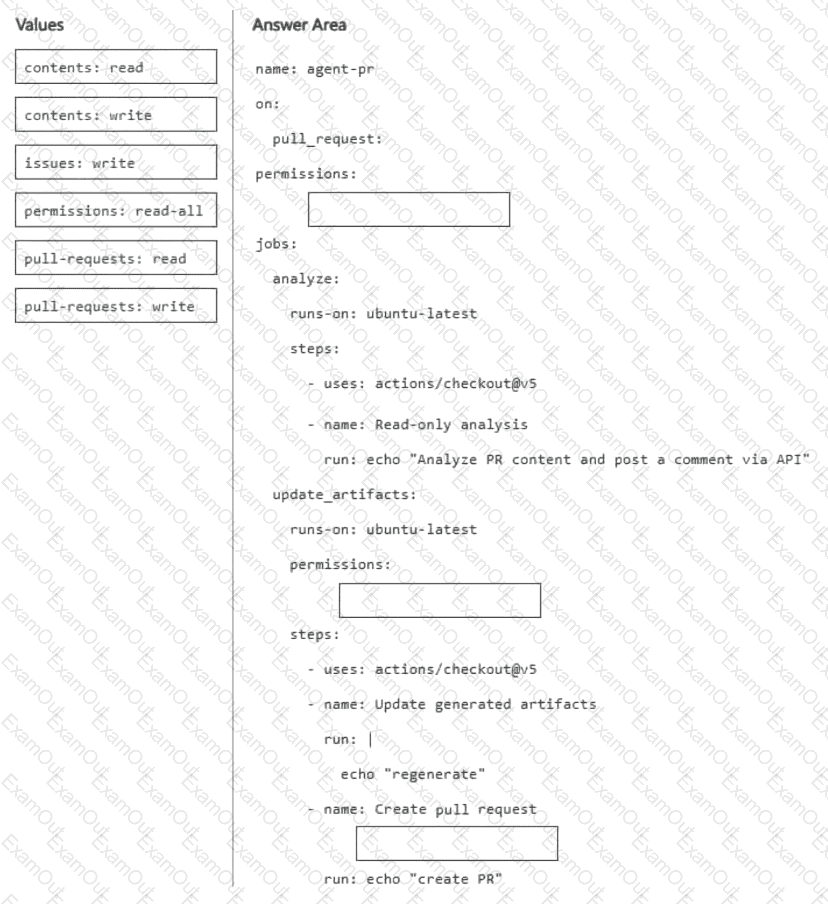
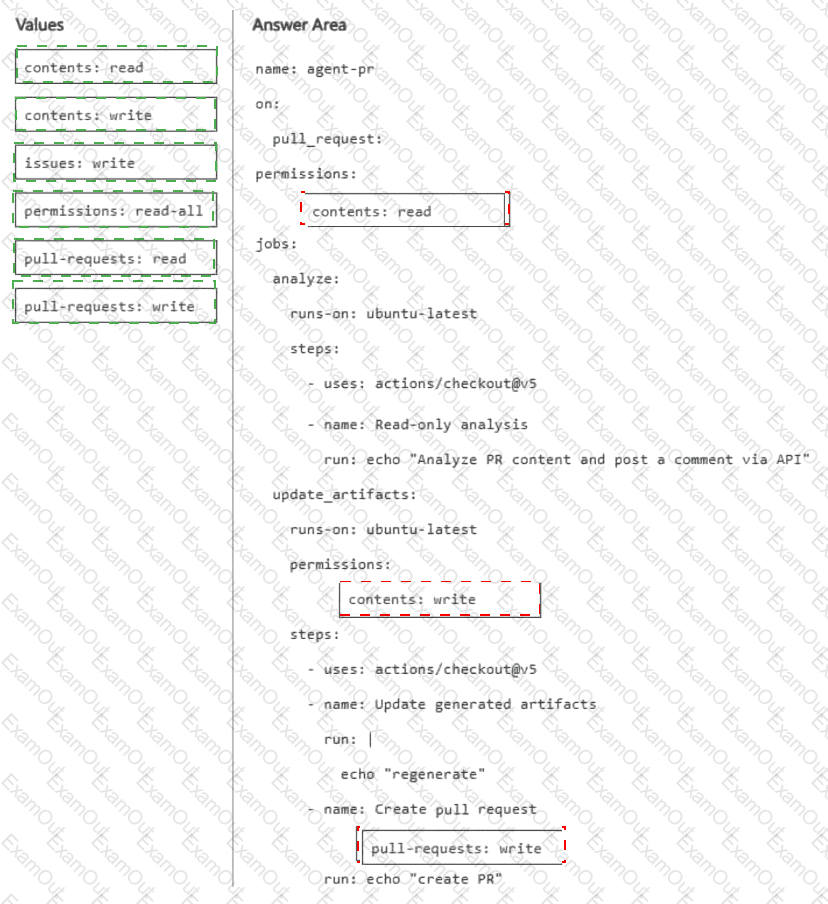
You have a GitHub repository that has a GitHub Actions workflow. The workflow runs an AI agent.
You need to ensure that the default GITHUB_TOKEN permissions are read-only, and write access is granted to only the job that performs repository write operations. The workflow must be able to create and approve pull requests only when explicitly enabled.
How should you complete the workflow? To answer, drag the appropriate values to the correct targets. Each value may be used once, more than once, or not at all. You may need to drag the split bar between panes or scroll to view content.
NOTE: Each correct selection is worth one point.