
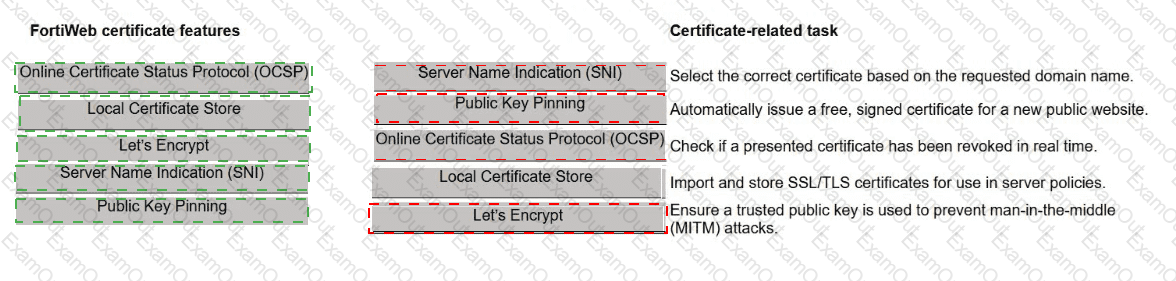
You are working on securing HTTPS communication across different services using FortiWeb. Your task is to configure and validate digital certificates for various traffic and communication needs.
Match each FortiWeb certificate feature to the certificate-related task that supports the feature.

You recently deployed two FortiWeb devices in an active-active (A-A) high availability (HA) cluster.
During routine maintenance, you want to confirm that the cluster is synchronizing the correct configuration areas and that both FortiWeb devices behave consistently in production.
As the FortiWeb administrator, which two configuration areas should you examine to verify that HA synchronization is functioning correctly? (Choose two.)
You are reviewing SSL-related issues on FortiWeb. An administrator reports that they receive a certificate warning when they access the FortiWeb GUI over HTTPS. Separately, your FortiWeb device also makes outbound HTTPS requests to a back-end API server.
In which two situations would FortiWeb use its own certificates to establish or secure the connection? (Choose two.)
You are configuring the FortiWeb client-side protection feature to defend against browser-based attacks.
Based on the layered defense strategy, drag and drop each control to the corresponding stage of defense.
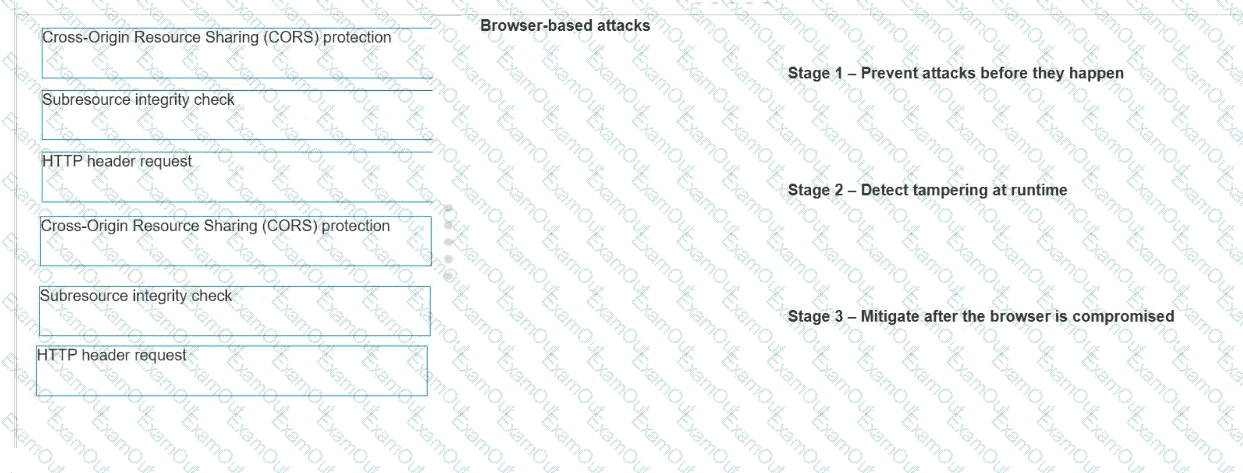
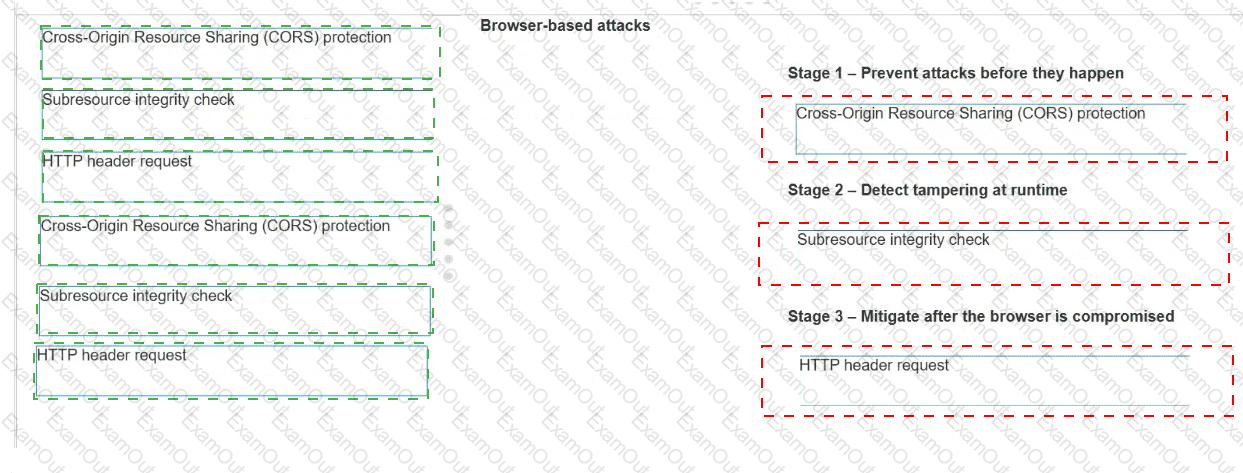
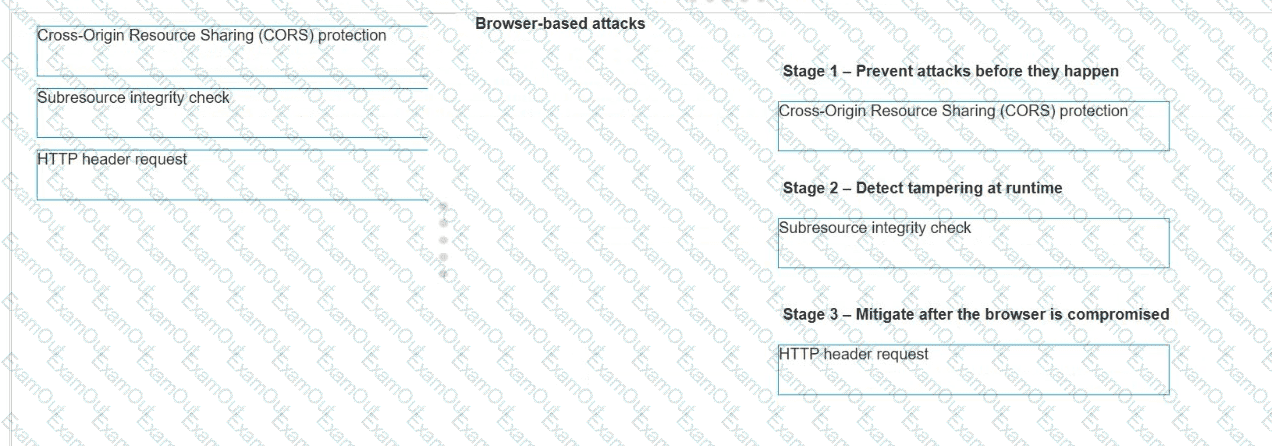
Refer to the exhibit.
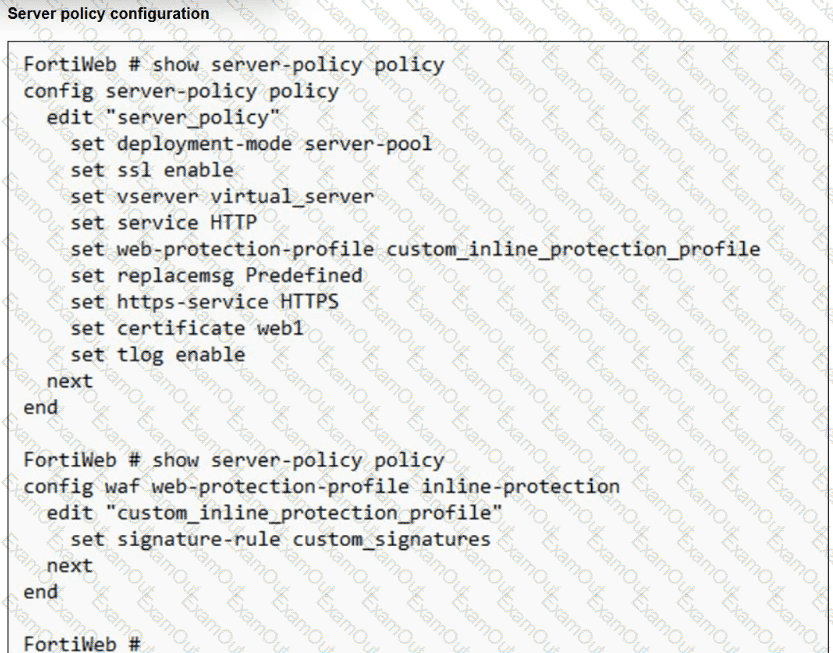
You have deployed FortiWeb behind a FortiGate that is configured as a reverse proxy and inserts the X-Forwarded-For HTTP header when forwarding HTTP and HTTPS traffic.
FortiWeb is using a custom inline protection profile, and logging is enabled, as shown in the exhibit.
You notice that FortiWeb is blocking legitimate users, and all requests in the attack logs appear to come from the FortiGate IP address, not the original client IP address.
Which action should you take to fix this issue?
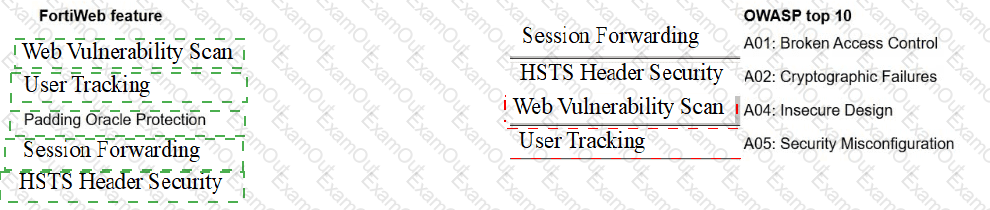
A FortiWeb administrator is reviewing issues found during a security audit. The audit lists shortcomings based on behavior, configuration, and data protection.
The administrator must break down the findings and match them with the correct FortiWeb feature.
Select each FortiWeb feature in the left column, hold and drag it to the blank space next to the OWASP issue in the column on the right. Once you match a FortiWeb
feature to the OWASP issue, you can move it again if you want to change your answer by clicking on the FortiWeb feature. You need to match five FortiWeb features to
the OWASP issue in the work area.


A FortiWeb administrator needs to allow a known web indexer to scan the website for search engine visibility.
What is the easiest way to allow this on FortiWeb?
FortiWeb is blocking groups of users behind your load balancer. In the logs, all users show the same source IP address.
Which action should you take to restore proper client identification?
Your team is spending too much time digging through FortiWeb logs to investigate threats.
How can FortiAI improve this workflow?
Refer to the exhibit.
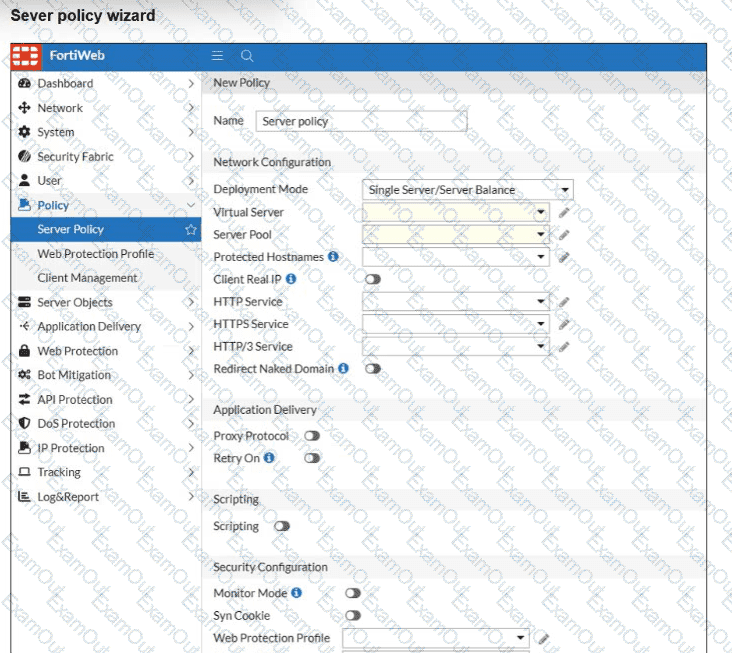
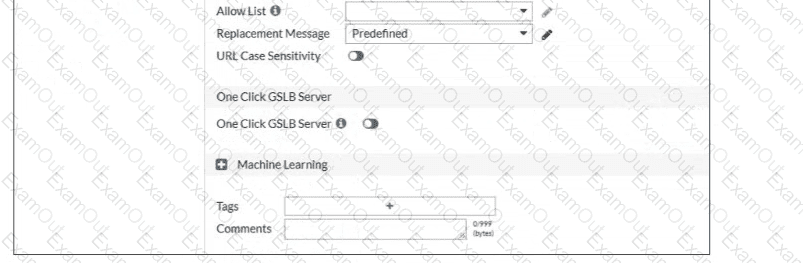
A FortiWeb administrator is trying to enable policy-based traffic logging on FortiWeb but doesn’t see the traffic log option available in the server policy settings.
What is the most likely reason this option is not visible?
